Persistent Logins, Persistent Risks: The Hidden Danger Lurking in Your 'Stay Signed In' Button
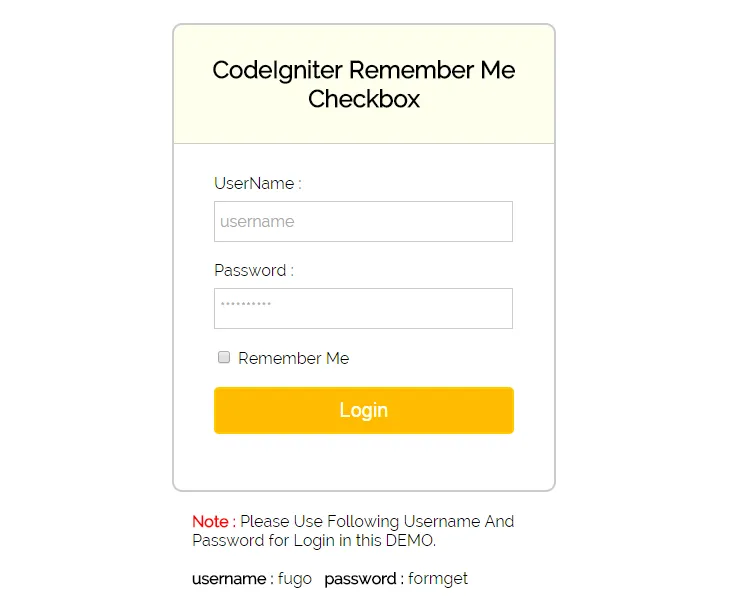
Photo: login screen checkbox remember me computer security, via www.formget.com
Every day, millions of Americans click a small checkbox or tap a button that reads "Remember me" or "Stay signed in." The intent is innocent enough — nobody wants to re-enter a password every time they check their email or browse a streaming service. But that single click sets a quiet timer running in the background, one that attackers are increasingly skilled at exploiting before it ever expires.
The mechanics behind persistent logins are worth understanding, because the security conversation rarely starts there.
What Actually Happens When You Check That Box
When you authenticate to a web service, the server generates a session token — essentially a long, randomized string of characters that proves you are who you say you are. Under normal circumstances, that token expires when you close your browser or after a short idle period. "Remember me" changes that equation dramatically.
Checking the box instructs the server to issue a long-lived token, sometimes valid for 30, 60, or even 90 days. That token is typically stored as a cookie in your browser or, in the case of mobile applications, in local device storage. As long as the token remains valid, anyone presenting it to the server gains access to your account — no password required.
This is not a flaw in the design. It is the design. The problem emerges when that token leaves your control.
How Attackers Steal Sessions Without Touching Your Password
Session hijacking — the act of stealing and reusing a valid authentication token — is one of the oldest tricks in the attacker's playbook, yet it remains remarkably effective in 2024. There are several well-documented methods through which tokens are compromised.
Cross-site scripting (XSS) allows malicious scripts injected into a vulnerable webpage to read cookie values and transmit them to an attacker's server. If the targeted cookie lacks the HttpOnly flag, the script can access it directly.
Man-in-the-middle interception on unsecured or poorly configured networks — public Wi-Fi at airports, hotels, and coffee shops being the classic environment — can expose token data transmitted without proper HTTPS enforcement.
Malware and infostealer programs represent perhaps the most scalable threat. Tools such as Raccoon Stealer and RedLine, widely documented by threat intelligence firms, are specifically engineered to harvest browser-stored cookies en masse. Logs containing stolen session tokens are then sold in bulk on cybercriminal forums, often bundled with credentials from dozens of other services.
Once an attacker possesses a valid session token, they can import it into their own browser, effectively impersonating the victim without triggering a password-reset alert. Because the account activity originates from a legitimate token rather than a failed login attempt, many security monitoring systems generate no alert whatsoever.
Real-World Consequences: When Sessions Go Undetected
The 2022 Uber breach offers a stark case study. Investigators determined that an attacker used social engineering to obtain credentials, but the subsequent lateral movement through internal systems was facilitated in part by persistent session access to tools like Slack and internal dashboards. The intrusion went undetected for a significant period, precisely because active sessions can appear indistinguishable from legitimate employee behavior.
Similarly, the 2023 wave of Okta customer support system compromises — which ultimately affected organizations including 1Password, BeyondTrust, and Cloudflare — traced back in part to a stolen session cookie belonging to a support engineer. Okta confirmed that the attacker accessed the system using a persistent token, not a freshly stolen password.
These incidents share a common thread: the attacker did not need to defeat authentication. They simply inherited it.
Not All Services Carry Equal Risk
Practical security guidance demands acknowledging that context matters. Staying logged into a streaming entertainment platform carries a fundamentally different risk profile than remaining perpetually authenticated to your online banking portal or primary email account.
Consider the following framework when evaluating your own persistent login decisions.
Services where a fresh login every session is strongly advisable:
- Online banking and brokerage accounts
- Primary email accounts (which serve as recovery pathways for every other service)
- Health insurance and medical records portals
- Government service accounts (IRS, Social Security Administration, state DMV portals)
- Any account linked to a stored payment method used for high-value transactions
Services where persistent login presents lower, though not zero, risk:
- Streaming media platforms
- News and content subscriptions
- Social media on personal devices you fully control
- Productivity tools on managed corporate devices with endpoint protection
The key differentiating variable is consequence. Ask yourself: if someone gained access to this account for 30 days without my knowledge, what is the worst realistic outcome?
Hardening Your Session Security
Beyond the binary choice of staying logged in or not, several practical measures can materially reduce session hijacking risk.
Audit active sessions regularly. Most major platforms — Google, Apple, Microsoft, Meta — offer a dashboard displaying every device and location where your account is currently authenticated. Reviewing this list monthly and terminating unrecognized sessions is a straightforward habit with meaningful security value.
Enable login notifications. Many services can alert you by email or push notification when a new session is initiated from an unrecognized device. These alerts provide an early warning that a token may have been compromised.
Use a dedicated browser profile for sensitive accounts. Separating your banking or email browsing from general web activity limits the blast radius of any XSS or cookie-theft incident affecting a less reputable site.
Keep your operating system and browser updated. Infostealer malware frequently exploits known vulnerabilities in outdated software. Timely patching closes many of the avenues through which tokens are harvested in the first place.
Consider hardware security keys for high-value accounts. Even if an attacker steals a session token, requiring periodic re-authentication with a FIDO2-compliant key means the window of unauthorized access is dramatically narrowed.
The Convenience Calculation
The "remember me" checkbox is not going away. User experience research consistently demonstrates that friction in the login process drives people toward weaker passwords, credential reuse, and outright account abandonment. Service providers have strong commercial incentives to keep users frictionlessly engaged.
That reality places the burden of informed decision-making squarely on the user. The goal is not to eliminate persistent logins across the board — it is to make deliberate, risk-calibrated choices about where you extend that trust and to actively monitor the sessions you allow to persist.
In a threat landscape where attackers routinely bypass strong passwords by simply harvesting the tokens that follow them, understanding what happens after authentication may matter just as much as the authentication itself.